

A Network Downtime Root Cause Example Explained
A network downtime root cause example is most useful when it shows more than the final fault. Network teams rarely begin an outage with a clear answer. They begin with user reports, incomplete telemetry, a growing business impact, and pressure to restore service before the evidence disappears.
Consider a distribution center where handheld scanners, voice picking devices, and warehouse workstations begin disconnecting at 8:17 a.m. The wireless controller reports healthy access points. Internet connectivity is available. The help desk initially sees the issue as a Wi-Fi outage because the most visible users are mobile workers.
The actual root cause is not Wi-Fi coverage, the controller, or an access point failure. It is a failing uplink interface on a core switch that intermittently drops traffic to the wireless VLAN gateway. The incident illustrates why teams need to validate each layer of the network before assigning blame to the technology users happen to notice first.
The Network Downtime Root Cause Example
At 8:17 a.m., picking staff report that scanner sessions are freezing. Within minutes, supervisors report that labels are not printing and voice-directed picking is timing out. The operations team cannot afford a long investigation: every minute of interruption creates order delays, labor inefficiency, and potential shipping penalties.
The network team checks the wireless controller first. Access points remain online, client counts look normal, and authentication requests are succeeding. A quick glance at signal strength also suggests acceptable RF conditions. That matters, but it does not prove the wireless network is functioning end to end. A client can have excellent signal strength and still be unable to reach its application server.
The team then reviews network monitoring data. Interface utilization on the core switch is well below capacity, and no device has fully gone offline. However, a graph for the uplink serving the warehouse distribution switch shows short bursts of CRC errors followed by link renegotiations. The events are brief enough that a basic availability dashboard does not classify them as a sustained outage.
Packet capture data adds the missing context. During each interruption, wireless clients continue sending traffic to their default gateway, but return packets are delayed or lost. DHCP and DNS requests become inconsistent, while TCP sessions to the warehouse application retransmit repeatedly. The symptoms appear wireless because the affected users are wireless, but the packet path points to a wired infrastructure problem.
A technician validates the physical connection and finds a damaged patch cable between the core switch and the distribution switch. The cable had been bent sharply during recent cabinet work. Replacing it immediately stops the CRC errors and link flaps. Scanner sessions stabilize, print services recover, and operations resume.
The root cause statement should be specific: a physically damaged copper patch cable caused intermittent errors and link renegotiation on the core-to-distribution uplink, disrupting traffic between warehouse wireless clients and application services. “Wi-Fi failure” would be an inaccurate conclusion. “Bad cable” is closer, but still incomplete without identifying the impacted link, the mechanism of failure, and the business effect.
Why Symptoms Are Not Root Causes
A symptom is what users experience: dropped calls, slow applications, failed authentication, or disconnected scanners. A trigger is the event that made the issue visible, such as increased morning shift traffic or a roaming client moving between access points. The root cause is the underlying condition that allowed the outage to occur.
This distinction changes how organizations prevent recurrence. If the team responds only by adding access points, it spends money without fixing the defective link. If it replaces the controller, it adds risk and downtime to a system that was not at fault. Accurate root cause analysis protects both uptime and capital budgets.
There can also be more than one contributing factor. In this example, the damaged cable is the direct technical cause. Limited alerting on interface error rates is a contributing operational cause because it delayed detection. Lack of post-change cable validation may be another. A useful incident review separates these factors instead of forcing every finding into one category.
A Practical Investigation Sequence
The fastest investigations are disciplined, not rushed. Start by defining the scope in terms that can be tested. Which sites, VLANs, applications, device types, and user groups are affected? When did the first report occur? Is the issue continuous, intermittent, or tied to a specific workflow?
Next, compare affected and unaffected paths. If warehouse Wi-Fi clients cannot reach an application but office Wi-Fi clients can, identify what differs between the two traffic paths. It may be a VLAN, access switch, gateway, policy, DNS server, WAN circuit, or application segment. This comparison often reduces a large environment to a small number of plausible failure points.
Then examine evidence at multiple layers. Wireless tools can confirm coverage, channel conditions, roaming behavior, client health, and authentication performance. Network management platforms can reveal device status, interface errors, configuration changes, and path-level performance. Packet analysis can show whether traffic is failing at name resolution, session establishment, transport retransmission, or application response.
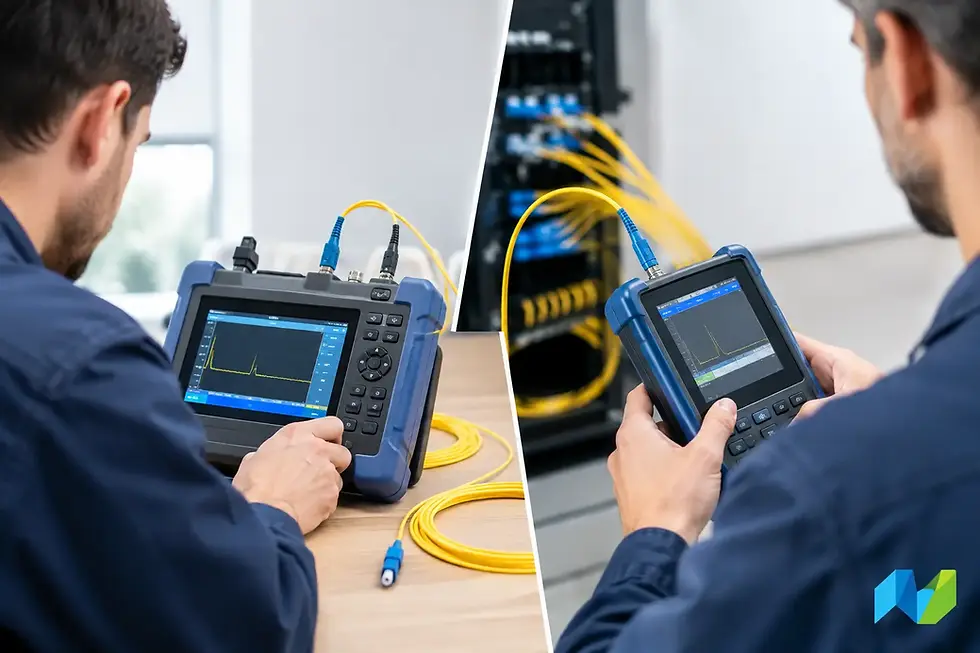
Physical layer validation should not be an afterthought. Copper and fiber faults can produce intermittent behavior that looks like a software defect or a capacity issue. Certification and test tools can identify poor terminations, damaged conductors, excessive loss, contamination, and other conditions that conventional monitoring may only expose indirectly.
A strong investigation also establishes a timeline. Correlate user reports with monitoring alarms, interface counters, controller logs, configuration changes, and physical work performed nearby. In the warehouse scenario, the error bursts began shortly after cabinet work. That correlation does not prove causation, but it creates a high-value hypothesis that can be tested.
Evidence That Confirms the Cause
A root cause is credible when the evidence explains the symptoms and the corrective action removes them. In the example, the failed uplink explains why clients remained associated to access points but lost application connectivity. CRC errors and link renegotiations explain intermittent packet loss. Packet captures show the traffic impact. Replacing the patch cable removes the errors and restores stable service.
That sequence is stronger than relying on a single observation. A cable that looks damaged may be incidental. A busy interface may be normal. A user report may be incomplete. The goal is to build a chain of evidence from business impact to technical behavior to a tested remediation.
This is where end-to-end visibility pays for itself. Availability monitoring alone may show that switches and access points are online. It may not reveal micro-outages, packet loss, retransmissions, or an unhealthy physical link. Combining infrastructure monitoring, flow or packet visibility, wireless analysis, and cable testing provides a more defensible view of what happened.
Preventing a Repeat Incident
After restoration, the work shifts from recovery to risk reduction. The organization should replace the damaged cable, document the incident, and review whether the affected link needs improved strain relief, labeling, or routing. It should also confirm that alert thresholds exist for CRC errors, link flaps, and rising retransmissions on critical paths.
The right preventive controls depend on the environment. A small office may need straightforward interface monitoring and disciplined patching practices. A hospital, campus, manufacturing facility, or distribution center may justify continuous packet visibility, wireless performance baselines, redundant paths, and formal validation after every infrastructure change. The business cost of interruption should guide the investment.
For wireless environments, periodic surveys and design validation remain essential. They establish a baseline for coverage, capacity, channel use, and roaming performance. But they should be paired with wired-path validation, because wireless service quality depends on switching, routing, DNS, DHCP, authentication, and application reachability as much as RF design.
Advanced Network Devices Inc. helps infrastructure teams align these disciplines through specialized Wi-Fi planning, network visibility, monitoring, and copper and fiber validation solutions. The value is not simply collecting more data. It is selecting tools that let teams isolate faults quickly and prove what changed.
The next outage will not announce which layer failed. Build the evidence trail before it is needed, validate the full path from client to application, and make every incident leave the network more measurable than it was before.


Comments