

WiFi 7 Enterprise Readiness Starts With Design
A Wi-Fi 7 access point installed on an unprepared network does not deliver a Wi-Fi 7 experience. It may advertise the newest capabilities, yet clients can still encounter limited throughput, unstable roaming, or congestion upstream of the radio. WiFi 7 enterprise readiness is therefore not a purchase decision alone. It is a coordinated assessment of RF design, client demand, wired capacity, power, security, and operational visibility.
For IT teams managing campuses, hospitals, warehouses, schools, offices, and multi-site environments, the right question is not simply, “When should we replace our APs?” It is, “Which business and technical constraints will Wi-Fi 7 solve at this site, and what must change around it for those gains to be measurable?” That distinction protects capital budgets and produces a migration plan that can be defended to both technical and procurement stakeholders.
What WiFi 7 Enterprise Readiness Actually Means
Wi-Fi 7, based on IEEE 802.11be, introduces capabilities designed to improve performance in dense and demanding wireless environments. Multi-Link Operation can allow compatible clients to use more than one band or channel path. Wider channels, 4K QAM, and improved scheduling can raise potential capacity and reduce the impact of contention in the right conditions. These are meaningful advances, but they do not erase the physics of radio frequency or the limits of the wired network.
Enterprise readiness means confirming that the environment can support the intended outcome, not merely that it can power on a new AP. A high-density lecture hall has different requirements than a distribution center with handheld scanners. A medical facility may prioritize predictable roaming and device compatibility over peak throughput. An office modernizing for video collaboration may benefit from Wi-Fi 7, while a lightly used branch might be better served by extending the life of a well-designed Wi-Fi 6 deployment.
The business case should begin with application behavior. Identify where latency, airtime contention, roaming delays, or capacity shortages are affecting users today. Then determine whether Wi-Fi 7 features, combined with the necessary supporting infrastructure, address those conditions better than targeted RF remediation or a smaller upgrade.
Start With a Measured RF Baseline
A current floor plan is not an RF design. Before setting an AP replacement schedule, teams need accurate information about coverage, channel utilization, noise, co-channel interference, neighboring networks, client distribution, and roaming performance. In older deployments, the existing AP locations may reflect a design built for coverage only, not for high client density or concurrent real-time applications.
This matters especially in the 6 GHz band. Wi-Fi 7 can operate across 2.4 GHz, 5 GHz, and 6 GHz, but 6 GHz is not automatically useful throughout every building. Its higher-frequency signals typically attenuate more through walls, glass, shelving, and dense construction materials than lower-frequency signals. It offers valuable clean spectrum, yet it often requires a design approach that is more deliberate than simply adding another radio to an existing layout.
Predictive design is a sensible starting point for new builds and early budgeting. For existing sites, an active survey and post-deployment validation establish whether the network meets the intended requirements at the user level. Survey and design platforms such as Ekahau help wireless teams model AP placement, account for building materials, validate coverage and capacity, and document results in a form that supports operational handoff.
Do not rely only on signal strength. Readiness criteria should include signal-to-noise ratio, channel overlap, data rates, retransmissions, roaming behavior, application performance, and capacity in the spaces where people and devices actually operate. A design that looks acceptable in a hallway can fail in a conference room, patient floor, production area, or loading dock.
Validate the Wired Network Before the Wireless Upgrade
The access layer is often the limiting factor in a Wi-Fi 7 project. Depending on AP model, radio configuration, and expected traffic, a 1 GbE uplink may constrain performance long before the wireless link reaches its potential. Multi-gigabit switching, commonly 2.5 GbE or 5 GbE, is frequently part of the evaluation. The appropriate choice depends on AP capabilities, concurrent client load, aggregation design, and budget.
Cabling must be verified rather than assumed. Existing Category 5e or Category 6 runs may support some multi-gigabit use cases, but distance, installation quality, bundle conditions, termination quality, and environmental factors matter. A cable that passed a basic continuity test is not necessarily ready to carry the intended link speed reliably or deliver the required power.
Power also deserves early attention. Higher-performance APs can require more Power over Ethernet than their predecessors, particularly when all radios and features are active. If a switch cannot provide the required PoE class across a full access layer, an AP may enter a reduced-feature mode. That can undermine the project before users ever connect.
A practical readiness review should confirm four infrastructure items: available switch-port speed, PoE budget and class support, cable certification results, and uplink capacity from the access switch to the distribution and core layers. Fiber links and transceivers should be included where higher aggregate traffic could expose existing bottlenecks.
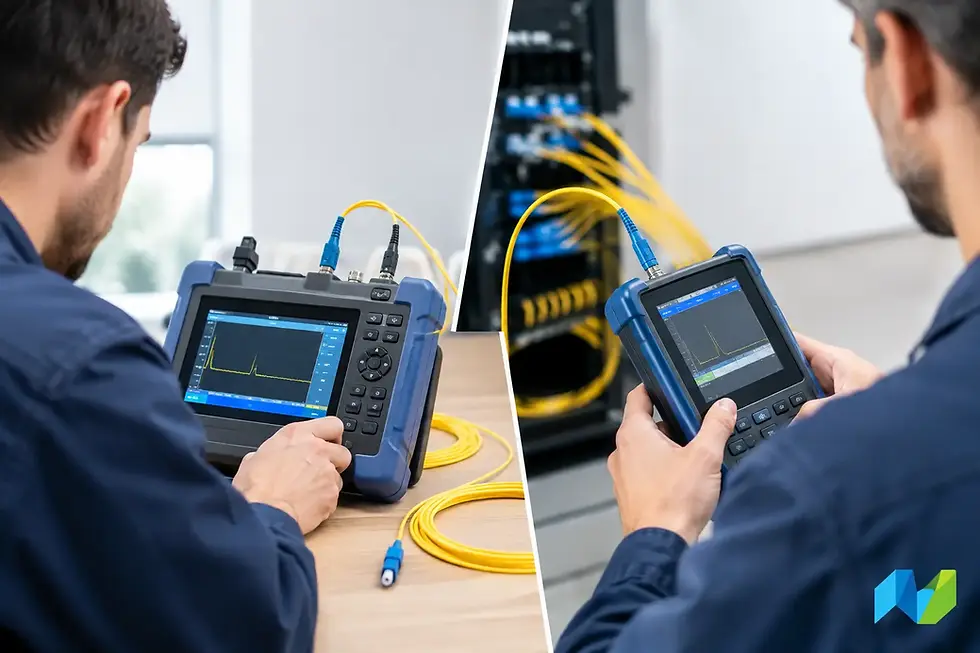
For organizations with aging cabling plants or uncertain records, copper and fiber test tools provide evidence for upgrade decisions. This is more useful than replacing cabling by assumption, and it identifies remediation work before a deployment window becomes an outage window.
Plan for Clients, Not Just Access Points
Wi-Fi 7 benefits require client support. A mixed client environment is the normal enterprise condition for years after an upgrade, not an exception. Legacy scanners, tablets, medical devices, printers, and IoT endpoints may remain dependent on earlier Wi-Fi generations and may not support 6 GHz at all.
Build a client inventory that distinguishes managed laptops and mobile devices from specialized equipment. Capture each device’s supported bands, Wi-Fi generation, authentication method, driver or firmware status, mobility pattern, and business criticality. This inventory helps teams decide where Wi-Fi 7 is justified first and where backward compatibility must take priority.
Multi-Link Operation is a useful example of why client awareness matters. Its advantages depend on compatible APs, clients, and software behavior. It should be tested with representative endpoint models and real applications rather than assumed from a specification sheet. The same applies to roaming, voice performance, and interoperability with WPA3 security settings.
Segmentation and identity controls should be reviewed alongside the wireless refresh. A faster wireless edge can increase the volume and speed of traffic reaching application services, internet connections, security appliances, and network monitoring tools. Network access control policies, VLAN design, DHCP capacity, DNS performance, and firewall inspection paths all need to keep pace with the changed traffic profile.
Use a Phased Deployment and Validation Process
Large Wi-Fi upgrades are lower risk when treated as a controlled engineering program. Begin with a pilot area that represents real operating conditions, such as a dense office floor, a warehouse zone, or a clinical department. Include actual client types and business applications in the test plan. A pilot limited to a few new laptops running speed tests will not reveal the issues that matter most in production.
Define acceptance criteria before installation. These may include coverage thresholds, minimum throughput for defined user groups, voice roaming performance, packet loss, latency, authentication time, and wired uplink utilization. Baseline the existing environment first, then compare results after the change. This provides a credible measure of improvement and a clear record of any remaining constraints.
Continuous visibility is equally important after cutover. Wireless analytics should be paired with wired monitoring and packet-level investigation when necessary. A poor client experience can originate in RF conditions, DNS delays, an overloaded uplink, a misconfigured QoS policy, or an application server. Tools for network management, flow analysis, and packet forensics help teams isolate the source instead of treating every complaint as a Wi-Fi problem.
Advanced Network Devices Inc. supports this approach by combining Wi-Fi planning and validation expertise with tools for wireless design, cabling and fiber testing, network monitoring, and traffic visibility. The objective is not simply to introduce new hardware, but to verify that the entire service path supports the performance expected from the investment.
Where Wi-Fi 7 Is Most Likely to Pay Off
Priority sites are usually places where wireless capacity or reliability has a direct operational cost. High-density meeting spaces, training centers, campuses, healthcare environments, engineering teams moving large files, and facilities with growing numbers of managed devices are common candidates. Locations with clean 6 GHz design opportunities and modern multi-gigabit access switching may achieve value sooner than sites requiring extensive cable, switch, and power remediation.
That does not mean every location should wait for a complete infrastructure overhaul. A phased approach can focus first on high-value zones while maintaining a consistent operational model across the rest of the estate. The key is to avoid presenting a limited pilot as proof that every building is ready for the same design.
The strongest Wi-Fi 7 programs begin with evidence: measured RF conditions, certified cabling, verified power, realistic client testing, and visibility across the wired and wireless path. With those facts in hand, teams can choose the right pace of adoption and make each upgrade serve a clear operational purpose.


Comments